Monday, February 22, 2010
Transfer your PayPal Funds to Bank account with XOOM
If you’re using PayPal to receive and send payments, then you must be aware about the PayPal mess started from Jan 29. paypal has suspended local bank transfers and personal payments to and from India. The personal payments will not be back for at least a few months, and there is no update on when will local bank withdrawals be available.

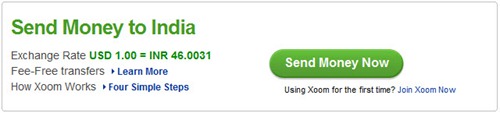
PayPal Alternative – Xoom is a Secure and Reliable service, using which one can Send Money to India. Just create an account and choose Pay with PayPal. The transaction process will go through a verification process, after which your money which be credited to bank account.
Points to be noted before proceeding:
1. Register with real info. like Name, address, email and phone number.
2. Enter complete details about your bank account and account holder address.
3. Only use "Bank Deposit" method.
4. Make sure that you’ve a verified PayPal account in order to avoid any issues later.
The exchange rate of Xoom is quite good (1:46) but there processing Fees is a bit higher. Though you can apply a coupon code – XOOM2010 or FEBXOOM10 or XOOMONETIMER when paying through PayPal. These coupons removes all the fees but may work for first transaction only 
My personal experience with Xoom was too good as I received the money in my bank account in 1-2 days, without any issues.
Note: Some users transaction was cancelled, saying that it has been identified as Intra-India, and the indicated disbursement is not permissible by Indian law. Also, some users may need to submit documents if Xoom verification team asks for it.You can enquire Xoom customer care at 1800-180-1233 (Toll Free) for more details.
Disclaimer - Please try this service at your own risk, as I’ll not be held responsible if you encounter any problem.


No comments:
Post a Comment